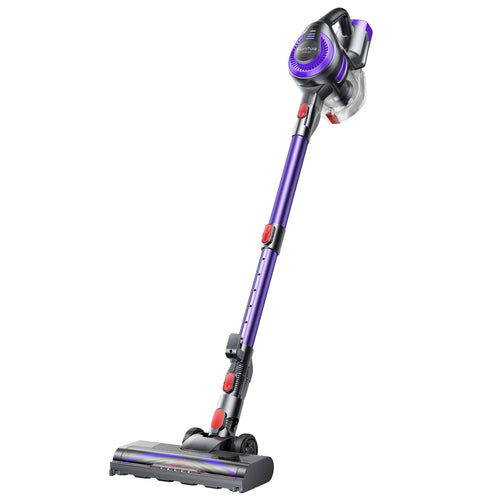
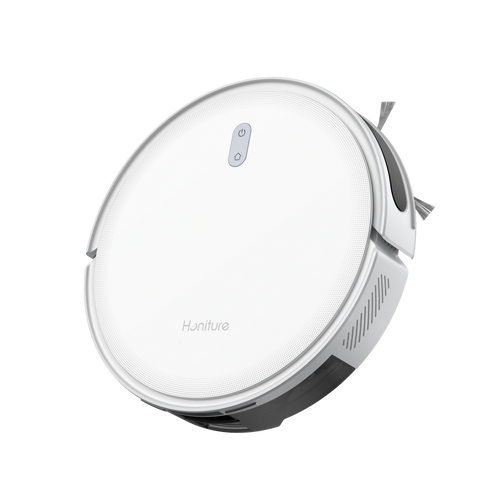
Les aspirateurs sans fil sont un choix pratique et efficace pour le nettoyage quotidien de la maison. Mais au fil du temps, la durée de vie de la batterie devient plus importante, surtout lorsque la batterie commence à perdre sa capacité à retenir la charge. Comme la batterie joue un rôle clé dans la durée pendant laquelle vous pouvez utiliser votre aspirateur entre les recharges, il est utile de savoir combien de temps elle dure généralement et comment en prendre soin.
Combien de temps dure la batterie d’un aspirateur sans fil ?
La durée de vie de la batterie d’un aspirateur sans fil peut varier en fonction de plusieurs facteurs. En général, une batterie dure 2 à 3 ans. Les principaux facteurs qui affectent la durée de vie de la batterie comprennent :
Type de batterie de l’aspirateur :
Le type de batterie est un facteur clé. Actuellement, les principaux types de batteries sur le marché comprennent les batteries nickel-métal hydrure (NiMH), les batteries lithium-ion (Li-I) et les batteries lithium-fer-phosphate (LFP). En raison de leur densité énergétique élevée, de leur longue durée de vie et de leur faible poids, les batteries Li-Ion sont le choix dominant pour les aspirateurs sans fil.
Capacité de la batterie :
La capacité de la batterie est un autre facteur qui affecte la durée pendant laquelle un aspirateur sans fil peut fonctionner entre les recharges. En général, une capacité de batterie plus grande signifie une autonomie plus longue. Lors de l’achat d’un aspirateur sans fil, vérifiez la capacité de la batterie indiquée dans les spécifications du produit pour avoir une meilleure idée de son autonomie prévue.
Fréquence d’utilisation et nombre de recharges :
La fréquence à laquelle vous utilisez votre aspirateur sans fil peut également affecter la durée de vie de la batterie. Une utilisation fréquente signifie plus de cycles de recharge, ce qui peut progressivement user la batterie au fil du temps. Comme la plupart des batteries rechargeables, la batterie d’un aspirateur dispose d’un nombre limité de cycles de charge, et sa capacité diminue progressivement à mesure que davantage de cycles sont effectués.

Pourquoi la durée de vie de la batterie d’un aspirateur diminue-t-elle ?
La plupart des batteries d’aspirateurs sans fil durent environ 2 à 3 ans. Après cela, il est normal de remarquer une baisse de performance. Même avec un entretien approprié, les batteries finiront par perdre de leur capacité en vieillissant. Une fois que la batterie atteint la fin de sa durée de vie, le remplacer est la solution la plus courante.
Aujourd’hui, de nombreux aspirateurs sans fil sont livrés avec des blocs-batteries amovibles et remplaçables, ce qui rend le remplacement de la batterie beaucoup plus facile que pour les batteries intégrées. Si votre aspirateur commence à fonctionner pendant moins longtemps ou si la batterie ne retient plus la charge, remplacer le bloc-batterie est souvent tout ce dont vous avez besoin pour le remettre en état normal.
Assurez-vous simplement que la batterie de remplacement est conçue pour votre modèle d’aspirateur spécifique et possède les mêmes spécifications que l’originale. L’utilisation d’une batterie incorrecte peut affecter les performances et même causer des problèmes de sécurité. Il est également judicieux de choisir une batterie d’une marque réputée plutôt que d’opter pour l’option la moins chère.
L’usure de la batterie fait simplement partie de la possession d’un aspirateur sans fil. Lors de l’achat, ne regardez pas seulement le prix initial. Vérifiez combien coûte une batterie de remplacement pour aspirateur et à quel point elle est facile à remplacer. Un aspirateur à prix inférieur avec une batterie remplaçable abordable peut parfois être plus judicieux à long terme que de payer plus cher pour une grande marque.
Achetez la batterie de remplacement d’origine pour aspirateur Honiture sur Honiture.com
Comment prolonger la durée de vie de la batterie au quotidien
Chaque batterie a une durée de vie limitée, mais quelques habitudes simples peuvent aider à ralentir l’usure de la batterie et à faire fonctionner votre aspirateur sans fil plus longtemps.
1. Évitez de vider complètement la batterie. Lorsque la batterie est faible, rechargez-la au lieu d’attendre que l’aspirateur s’éteigne. Une recharge régulière est généralement préférable à celle de laisser la batterie se vider complètement à plusieurs reprises.
2. Respectez le temps de charge recommandé. Une fois la batterie complètement chargée, il n’est généralement pas nécessaire de continuer à la charger plus longtemps que ce qui est recommandé. Évitez la recharge prolongée, surtout dans des conditions de chaleur, car une chaleur excessive peut accélérer l’usure de la batterie.
Suivez toujours les instructions de charge et d’entretien fournies par le fabricant, car les exigences de charge peuvent varier d’un modèle à l’autre.

Que faire si la durée de vie de la batterie de votre aspirateur a considérablement diminué ?
Si la durée de vie de la batterie de votre aspirateur sans fil a sensiblement diminué, il y a plusieurs choses que vous pouvez vérifier avant de remplacer la batterie.
1. Vérifiez la durée de vie de la batterie
Les batteries d’aspirateurs sans fil se dégradent naturellement au fil du temps, ce qui peut entraîner une autonomie plus courte. En général, les performances de la batterie peuvent diminuer sensiblement après 2 à 3 ans d’utilisation. C’est également vrai pour les aspirateurs sans fil de certaines marques bien connues. Après avoir atteint leur durée de vie maximale en cycles, les batteries peuvent n’offrir que 40 % à 60 % de leur autonomie d’origine.
Le vieillissement de la batterie est également une cause courante de problèmes de charge et d’autonomie. À ce stade, remplacer la batterie peut être le meilleur moyen de restaurer l’autonomie de l’aspirateur. Comme les différentes marques et modèles d’aspirateurs utilisent différentes spécifications de batterie, assurez-vous de choisir une batterie de remplacement compatible.
2. Nettoyez l’intérieur de l’aspirateur
Une accumulation excessive de poussière à l’intérieur de l’aspirateur peut affecter l’efficacité de fonctionnement du moteur. Lorsque la poussière s’accumule dans le bac à poussière ou les conduits d’air, elle peut restreindre le flux d’air, réduire la puissance d’aspiration et augmenter la charge sur le moteur. Le moteur peut alors devoir travailler plus fort et consommer plus d’énergie, ce qui peut raccourcir l’autonomie de la batterie.
Il est donc important de nettoyer régulièrement ces zones. Videz le bac à poussière selon les instructions du fabricant, puis essuyez les conduits d’air accessibles avec un chiffon humide. Pour les zones difficiles d’accès, utilisez une petite brosse pour enlever la poussière et les débris.
Garder l’intérieur de votre aspirateur propre peut aider à réduire la charge de travail du moteur et à maintenir de meilleures performances de la batterie.
3. Vérifiez l’état de la charge
Un port de charge endommagé, un câble de charge défectueux ou un environnement de charge inapproprié peuvent affecter l’efficacité de la charge et entraîner une baisse des performances de la batterie.
Tout d’abord, vérifiez si le port de charge est desserré, déformé ou présente des dommages visibles. Inspectez le câble de charge pour détecter des effilochures, des ruptures ou d’autres signes de dommages, et remplacez le chargeur ou le câble si nécessaire.
L’environnement de charge est également important. Évitez de charger l’aspirateur dans des environnements extrêmement chauds, car une chaleur excessive peut affecter négativement la durée de vie de la batterie. Vous devriez également éviter de le charger dans des zones humides ou moites, ce qui peut créer un risque de dommages électriques.
Pour obtenir les meilleurs résultats, chargez votre aspirateur sans fil à température ambiante dans un environnement sec. Un environnement de charge approprié aide à garantir une charge adéquate et favorise les performances à long terme de la batterie.
Comment choisir un aspirateur selon différents besoins ?

Si vous prévoyez d’acheter un nouvel aspirateur et que vous avez consulté cet article lors de vos recherches, ne vous concentrez pas uniquement sur les spécifications, la capacité de la batterie et le nom de la marque. Lors du choix d’un aspirateur sans fil, il est également important de prendre en compte les coûts cachés de l’utilisation à long terme, y compris la durée de vie de la batterie et les coûts de remplacement.
Réfléchissez à savoir si le coût supplémentaire d’une marque haut de gamme en vaut la peine pour vos besoins. Choisir un aspirateur avec une batterie amovible et remplaçable peut également rendre l’entretien à long terme beaucoup plus facile.
Si vous vivez dans un petit ou moyen appartement, que vous nettoyez 2 à 3 fois par semaine et que vous êtes à l’aise à l’idée de dépenser quelques centaines de dollars pour des batteries de remplacement d’aspirateur tous les 2 à 3 ans, une grande marque comme Dyson peut être un choix approprié.
Si vous vivez dans une maison plus grande de plus de 120 mètres carrés (environ 1 290 pieds carrés), que vous avez des animaux de compagnie et que vous utilisez fréquemment votre aspirateur à pleine puissance, une marque plus abordable peut offrir une meilleure valeur à long terme. Recherchez un modèle phare avec une batterie remplaçable et une durée de vie en cycles plus longue. Au fil du temps, cela peut aider à maintenir les coûts d’entretien et de remplacement considérablement inférieurs à ceux des aspirateurs sans fil traditionnels avec batteries intégrées.
Achetez d’autres aspirateurs phares abordables sur Honiture.com