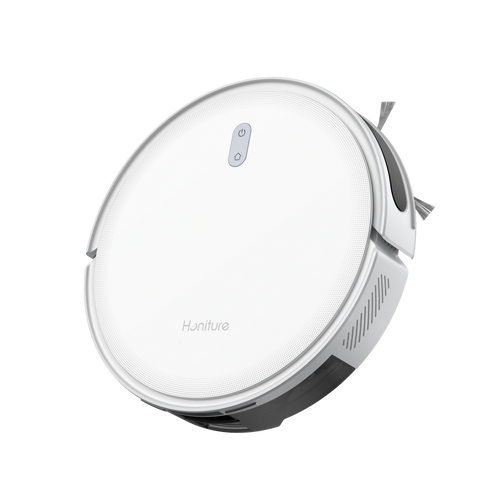
A robot vacuum is one of the best investments for a modern home, but many owners notice a significant drop in performance after six months. Is the suction weakening? Are there strange odors? Is the robot getting "clumsy" and bumping into walls?
The truth is, a robot vacuum is a precision instrument, not a "set it and forget it" appliance. Its cleaning efficiency depends 80% on its consumables. Neglecting maintenance not only leads to a dirtier home but can also burn out the expensive internal motor. This guide breaks down exactly which parts matter, how to maintain them, and when to replace them to extend your robot's life by years.

Key Components: The "Senses" and "Limbs" of Your Robot
To maintain your device effectively, you must first understand the four major systems at work:
- The Execution System: Includes the Main Brush (Roller), Side Brushes, and Mop Pads. These parts physically agitate and lift dirt from your floors.
- The Filtration System: The HEPA Filter. This is the "mask" of the robot, ensuring it exhausts clean air while trapping microscopic dust.
- The Perception System: LDS Laser Radar, Obstacle Avoidance Sensors, and Cliff Sensors. These are the "eyes" that prevent the robot from falling or crashing.
- The Base Station System (For Self-Empty Models): Dust Bags, Water Tanks, and Silver Ion Modules.
Deep Dive: Maintenance & Replacement Schedule
Understanding the "why" behind the maintenance schedule is just as important as knowing the "when." Every time your robot vacuum runs, it faces friction, hair entanglement, and microscopic clogs. While most modern apps provide a "remaining life" percentage, these are mere estimates based on run-time. Real-world factors—such as having long-haired pets, plush carpets, or living in a humid coastal environment—can accelerate the wear and tear of these components. By following the systematic schedule below, you transition from "reactive repairs" to "proactive preservation," ensuring the internal suction motor never has to work harder than it was designed to.
|
Component |
Maintenance Frequency |
Replacement Cycle |
Core Maintenance Action |
|
HEPA Filter |
Weekly (Tap/Dust) |
3 - 6 Months |
Do not high-pressure wash; keep dry. |
|
Main Brush |
Weekly (Hair Removal) |
6 - 12 Months |
Clean the bearings at both ends. |
|
Side Brush |
Monthly (Straightening) |
3 - 6 Months |
Use hot water to reshape bristles. |
|
Mop Pads |
After every use |
1 - 3 Months |
Deep clean with disinfectant weekly. |
|
Dust Bag |
When full |
1 - 2 Months |
Disposable; do not reuse or empty manually. |
|
Sensors |
Monthly (Wipe) |
No Replacement |
Wipe with a dry microfiber cloth. |

HEPA Filter: The "Lung" Protector
The HEPA filter traps 99.7% of particles as small as 0.3 microns.
- The Trap: Many filters are labeled "washable," but water can degrade the fiber structure, reducing filtration efficiency.
- Expert Tip: Use a handheld vacuum to suck dust out of the filter pleats rather than washing it. If you must wash it, ensure it dries for at least 24 hours; a damp filter will grow mold instantly.
Main Brush: The Hidden Killer of Motors
Hair doesn't just wrap around the bristles; it migrates to the side bearings.
- The Danger: As hair builds up in the bearings, it creates friction and heat, which can melt the plastic housing or seize the motor.
- Expert Tip: Most modern main brushes have removable end caps. Pop them off weekly to remove hidden hair "donuts."
Side Brushes: Resurrecting Flattened Bristles
Side brushes get "bent" or "splayed" over time.
- The Fix: You don't always need to buy new ones. Dip curled side brushes into hot water (approx. 80°C) for 5 minutes. The thermal memory of the plastic will often cause the bristles to snap back to their original straight shape.
The "Invisible" Maintenance: Sensors & Wheels
Even if your brushes are new, a dirty sensor can make the robot useless.
- Cliff Sensors: Located on the bottom. If they are covered in oily kitchen dust, the robot may refuse to move, thinking it’s on a ledge.
- LDS Radar: Wipe the "spinning tower" on top. Dust here causes the robot to lose its map or spin in circles.
- Front Omni-Wheel: Hair gets trapped in the axle, causing the wheel to drag rather than roll, which scratches delicate hardwood floors. Pop the wheel out once a month to clean the axle.
The Great Debate: Genuine vs. Third-Party Parts
When your app flashes a "replacement needed" notification, the price difference between original manufacturer parts and third-party alternatives on Amazon or AliExpress can be tempting. However, choosing the wrong "budget" part can lead to a "penny wise, pound foolish" situation. Here is the professional breakdown of when you can save and when you must invest.
The "Risk Zone": Why Filters and Bags Matter
The HEPA Filter and Dust Bag are the most critical components to buy genuine.
- The Seal Integrity: Original filters are engineered with precise rubber gaskets that create an airtight seal. Third-party filters often have slight millimetric discrepancies. If the seal isn't perfect, fine dust bypasses the filter and enters the suction motor directly. This leads to bearing wear, motor overheating, and eventually, a total hardware failure that costs hundreds of dollars to repair.
- The Material Quality: Genuine dust bags use specific melt-blown fabric layers that balance airflow with filtration. Cheap alternatives often use thinner material that can tear during the high-pressure "self-empty" cycle, spraying dust throughout the internal guts of your base station.

The "Savings Zone": Where Third-Party Parts Shine
If you are looking to cut costs, the Mop Pads and Side Brushes are the safest places to do so.
- Mop Pads: As long as the microfiber density is decent and the Velcro alignment matches, third-party pads usually perform within 95% of the original’s efficiency. Since these are high-turnover items that require frequent washing, saving here makes sense.
- Side Brushes: These are purely mechanical "flickers." While third-party bristles may be slightly stiffer or softer than the original, they rarely pose a risk to the robot's internal health.
Pro Tip: If you decide to go with a third-party brand, look for those that specialize specifically in robot vacuum accessories rather than "generic" household goods. Always check the reviews specifically for "fitment issues" or "error codes."
Conclusion: The Secret to a Long-Lasting Robot Vacuum
Maintaining your robot vacuum isn’t just about keeping your floors clean—it’s about protecting a sophisticated piece of technology. As we’ve explored, the "hidden cost" of owning a robot vacuum isn't the price of a new filter or a set of brushes; it’s the potential for a total motor failure caused by neglect.
- By shifting from a "run it until it breaks" mindset to a proactive maintenance rhythm, you ensure three critical things:
- Consistent Cleaning Power: Your robot will maintain the same high suction and scrubbing force it had on day one.
- Healthier Living Environment: You prevent your vacuum from becoming a source of secondary pollution or a breeding ground for bacteria and odors.
- Maximum ROI: Spending $50 a year on quality consumables can save you $500–$800 on a replacement machine, effectively doubling or tripling your robot's lifespan.
Think of your maintenance schedule as a "health checkup" for your home’s hardest-working assistant. Whether it’s a quick 5-minute hair removal session on the weekends or a quarterly deep-clean of the sensors, these small efforts pay off every time you walk across a perfectly clean floor without lifting a finger.
FAQs:
Q1: My app says the filter life is at 0%, but it looks clean. Do I really have to change it?
Yes. The microscopic pores in the HEPA material clog with fine dust that is invisible to the naked eye. Continuing to use a clogged filter increases air resistance, which makes the motor work harder and run hotter, shortening the robot's lifespan.
Q2: Can I reuse the disposable dust bag by emptying it manually?
Absolutely not. Dust bags are made of "melt-blown" fabric that relies on static electricity and specific porosity. Once emptied and shaken, the pores stretch, allowing dust to leak into the docking station's internal motor, which can cause an expensive blowout.
Q3: Why does my robot smell like "wet dog" when it mops?
This is due to bacterial growth in the mop fibers or the base station's sink. Ensure you use an official cleaning solution in the water tank and replace your mop pads every 2 months. Even with "Auto-Dry" features, a deep manual wash with disinfectant is recommended once a month.
Q4: Will using third-party parts void my warranty?
Generally, no, but if a third-party part causes a failure (e.g., a filter leaks dust that kills the motor), the manufacturer may deny the warranty claim. This is why we recommend original parts for the "internal" filtration system.
Q5: After replacing the parts, why does the app still show they are expired?
Robot vacuums cannot "see" new parts. You must go into the app settings under "Maintenance" or "Consumables" and manually click "Reset" for each specific part to restart the countdown timer.